Real Estate CRM Software That Keeps Every Lead Moving
Learn how real estate teams can use CRM Master to capture enquiries, assign leads automatically, manage follow-ups, track site visits, and keep WhatsApp chats organised.
CRM Master Team · · 6 min read
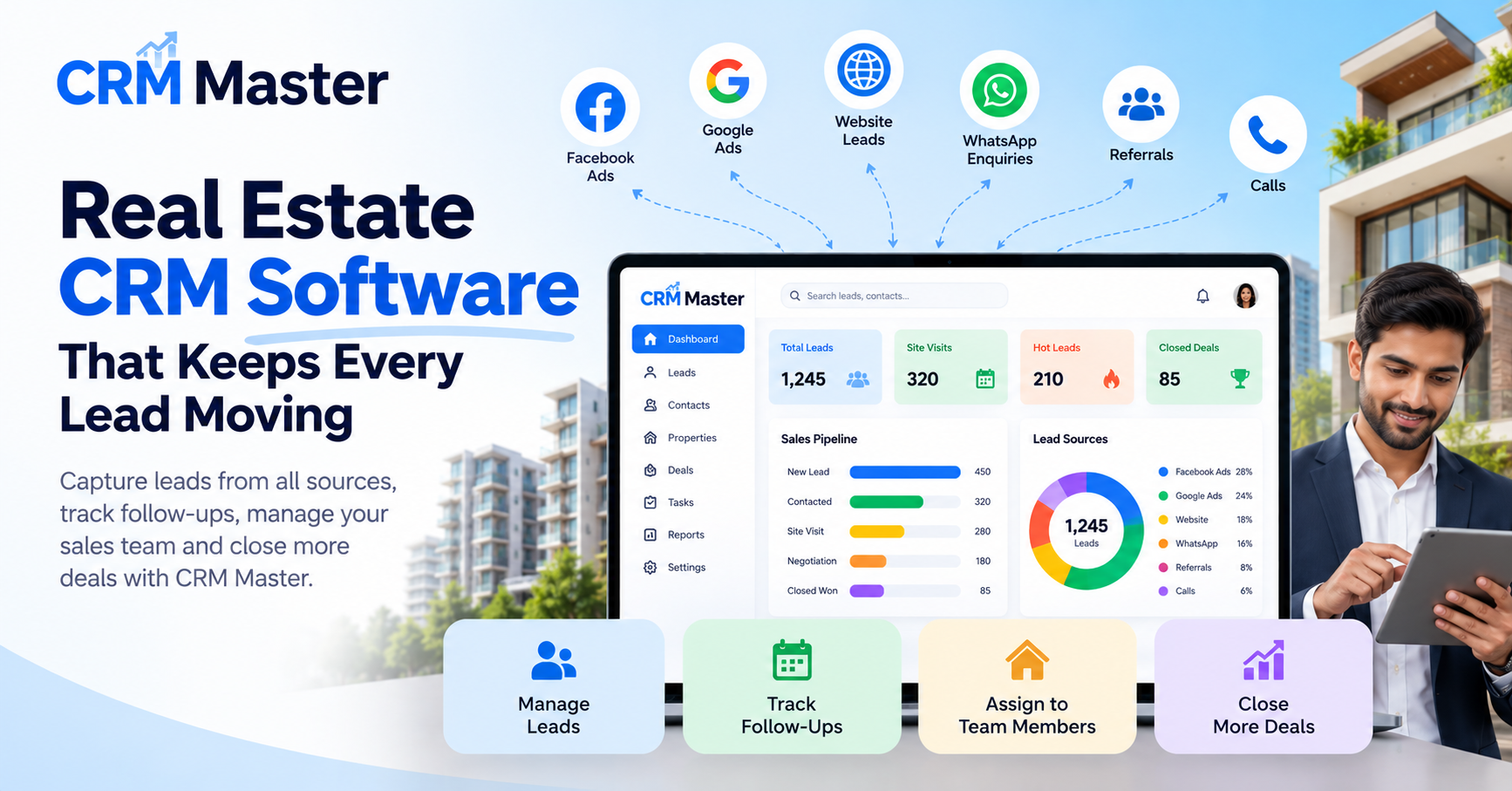
If you run a real estate business, you already know the pattern. Leads come from Meta ads, property portals, brokers, referrals, and WhatsApp. One agent calls immediately, another forgets to follow up, and a hot buyer disappears because nobody knew who was handling the enquiry.
That is why more agencies are moving to a proper CRM for real estate instead of managing leads on Excel sheets and personal phones. A good Real Estate CRM Software should not just store leads. It should help your team respond faster, track site visits, monitor calling activity, and keep every follow-up visible.
In this guide, you will see how a real estate team can set up CRM Master step by step to capture enquiries, assign them automatically, run calling campaigns, manage WhatsApp chats, and track field agents from one system.
Bring Every Property Enquiry Into One Place#
Most real estate businesses receive leads from multiple places every day. Meta ads for new projects, Justdial calls, website forms, broker referrals, and walk-ins all need tracking. If even one source is missed, sales follow-ups become inconsistent.
Start by connecting your lead sources first.
In CRM Master: Integrations#
You can connect:
- Meta (Facebook and Instagram) Lead Ads
- Justdial
- Google Sheets
New leads automatically enter the CRM and map to your own fields.
For example, a builder running Meta ads for 2 BHK flats in Pune can map fields like:
- Buyer name
- Phone number
- Budget
- Preferred location
- Project name
If your website form or landing page collects enquiries, use the universal webhook.
In CRM Master: Settings → Webhooks#
Your website or tools like Zapier, Make, Pabbly, or n8n can post leads directly into the CRM.
This is useful when you have:
- Multiple project landing pages
- Third-party lead collection tools
- Referral forms for channel partners
Bringing Old Data Into the CRM#
Many agencies already have years of data in Excel sheets. Import that first so your team starts with one clean system.
In CRM Master: Leads page → Import#
Upload your Excel or CSV file. SID AI suggests the column mapping, and duplicate leads are merged.
A brokerage firm in Mumbai, for example, might import:
| Excel Column | CRM Field |
|---|---|
| Client Name | Lead Name |
| Mobile | Phone |
| Property Type | Custom Field |
| Site Visit Date | Notes |
| Budget | Custom Field |
This gives your team one central lead database instead of scattered spreadsheets.
Automatically Assign Leads to the Right Agent#
One common problem in real estate sales is uneven lead distribution. Some agents get overloaded while others wait for calls.
Automatic assignment fixes this immediately.
In CRM Master: Set per lead source#
Each new lead can be assigned:
- To a specific agent
- Through round-robin
- By percentage split
For example:
- Luxury property leads go to senior agents
- Rental enquiries go to a separate team
- Fresh Meta leads rotate equally among inside sales agents
The moment a lead arrives, it already has an owner. No manual sorting required.
You can also customise your pipeline stages.
In CRM Master: Settings#
Create stages that match your sales process, such as:
- New Lead
- Contacted
- Interested
- Site Visit Scheduled
- Negotiation
- Booking Done
This makes it easier for managers to understand exactly where each enquiry stands.
Improve Calling Efficiency With Structured Follow-Ups#
Real estate sales depend heavily on calls. The problem is not just making calls. It is making sure every lead gets the next follow-up at the right time.
In CRM Master: Campaigns#
Calling campaigns create a prioritised queue for agents.
The agent simply:
- Opens the next lead
- Makes the call
- Logs the outcome
- Moves to the next enquiry
This works well for:
- Fresh internet leads
- Old inactive databases
- Unsold inventory follow-ups
- Site visit confirmation calls
A team selling plots near Hyderabad, for example, can run a campaign only for leads who showed interest in the last 30 days.
Click-to-Call and Call Logging#
In CRM Master: Lead record and Calls#
Agents can call directly from the lead record through CallerDesk. Recordings and live call status come back into the CRM.
For field agents using the Android app, SIM calls are logged the same way.
After each call, the agent updates the outcome immediately.
In CRM Master: After-call outcome#
The agent records:
- Call outcome
- Next step
- Follow-up decision
This prevents the usual situation where agents say, “I’ll call later,” but no reminder exists.
Follow-Up Tasks#
In CRM Master: Tasks#
Every follow-up becomes a task with a due time.
For example:
- Call after site visit
- Share pricing details tomorrow
- Follow up after loan approval discussion
Agents receive reminders before the task is due, which helps reduce missed opportunities.
Keep WhatsApp Conversations Visible to the Team#
In many agencies, important client chats stay on one salesperson’s phone. If that agent leaves or goes on leave, the lead history disappears.
A CRM for real estate should solve this problem properly.
In CRM Master: Messages#
The WhatsApp team inbox attaches every chat to the lead record.
The lead owner and their manager can see:
- Client conversations
- Shared documents
- Follow-up messages
- Previous discussions
This is especially useful for:
- Property photos
- Brochure sharing
- Location pins
- Site visit coordination
CRM Master works with:
- AiSensy
- DoubleTick
- WACA (WhatsApp Cloud API)
Wati and Interakt can also be connected, though sending through them is coming soon.
WhatsApp Templates and Broadcasts#
In CRM Master: Messages#
You can send approved templates and broadcasts to leads based on their stage.
Examples for real estate teams:
- Site visit reminders
- New tower launch announcements
- Payment follow-up messages
- Festival offer updates
Quick Replies for Common Questions#
In CRM Master: WhatsApp chat#
Agents can use canned replies for repeated questions like:
- “Please share the location.”
- “What is the starting price?”
- “When can I visit the property?”
SID AI can also draft a reply inside the chat.
Track Field Agents and Site Visits#
For real estate businesses, outside sales activity matters just as much as inside calling.
Managers often struggle with questions like:
- Did the agent actually visit the site?
- Was the client meeting completed?
- How many site visits happened today?
In CRM Master: Android app#
Agents can:
- Call leads
- Update lead stages
- Receive follow-up reminders
This is useful for brokers and sales executives who spend most of the day outside the office.
In CRM Master: Field attendance and location#
Field staff can check in with:
- Selfie
- Location
This helps managers track site visits and field movement without constant phone calls.
For example, a builder with projects in different parts of Bengaluru can verify which sales executive visited which property location during the day.
Use Call Analytics to Improve Team Performance#
Most real estate managers review only bookings. But the real improvements usually come from analysing daily sales activity.
In CRM Master: Analytics#
Call analytics show:
- Connect rate
- Call outcomes
- Call duration
You can review performance by:
- Day
- Week
- Custom date range
This helps answer practical questions like:
- Which campaign generated actual conversations?
- Which agent speaks to the most qualified buyers?
- Are follow-ups happening consistently?
Conversion Tracking#
In CRM Master: Reports#
Conversion reports show results by:
- Lead source
- Campaign
- Owner
A real estate agency can quickly compare:
- Meta ads vs Justdial leads
- Rental vs purchase enquiries
- Different project campaigns
This helps you spend marketing money more carefully instead of guessing which source performs better.
The Next Step for Your Real Estate Team#
If your team still manages enquiries through personal phones, scattered WhatsApp chats, and Excel sheets, start by fixing the lead flow first.
Connect your lead sources, set up automatic assignment, import your old data, and create calling campaigns for follow-ups. Once every enquiry enters one system, it becomes much easier to improve response times, monitor agents, and increase conversions.
For most real estate businesses, the biggest improvement does not come from generating more leads. It comes from handling existing leads more consistently every single day.